.png)
Samsung Magician 9.0.1
Latest version • Updated May 2026
Samsung Magician is the official software for Samsung SSDs. It helps you monitor drive health, update firmware, optimize performance, run benchmarks and securely migrate your data. The best tool for owners of Samsung 990 PRO, 980, 870 EVO, T9 and other Samsung solid-state drives.
Download Samsung Magician FreeScreenshots of Samsung Magician 9.0.1
Clean and modern interface with drive health monitoring, performance optimization and firmware update tools.
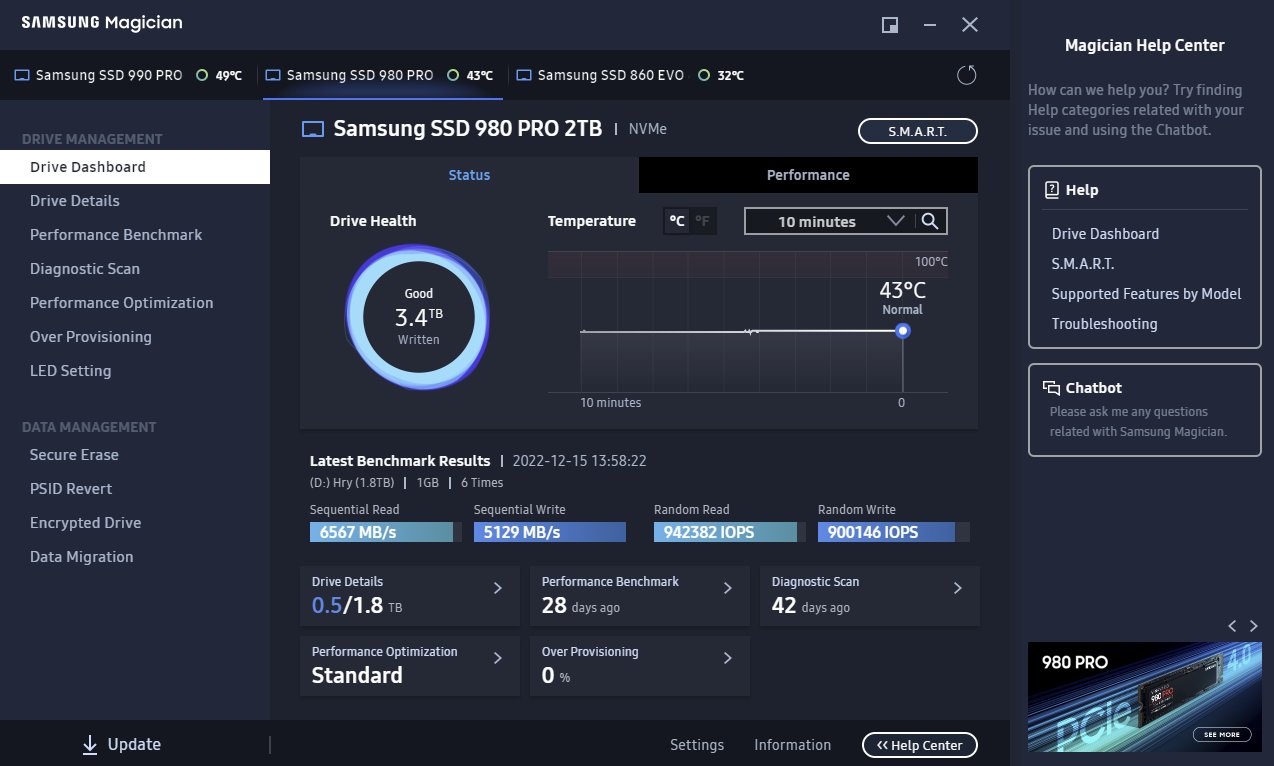
Main Dashboard & Drive Health
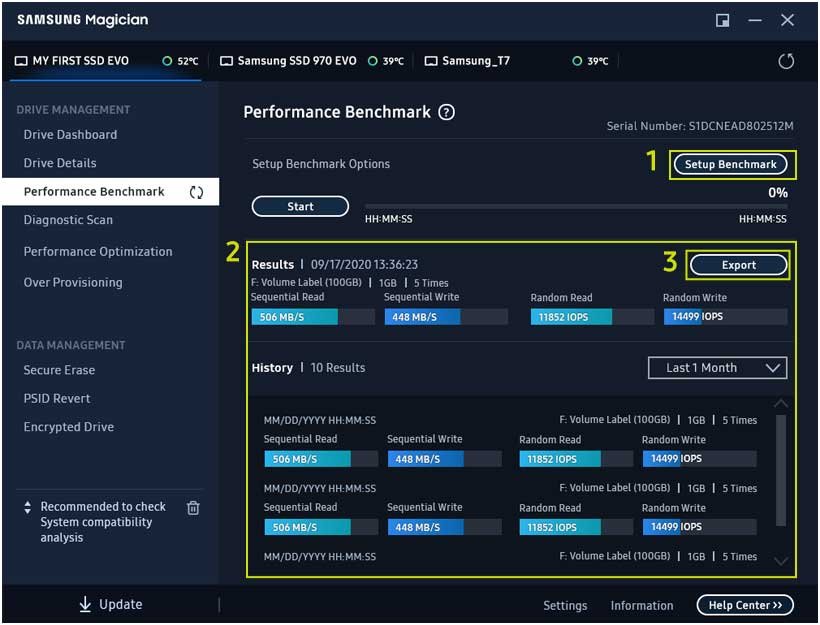
Performance Benchmark
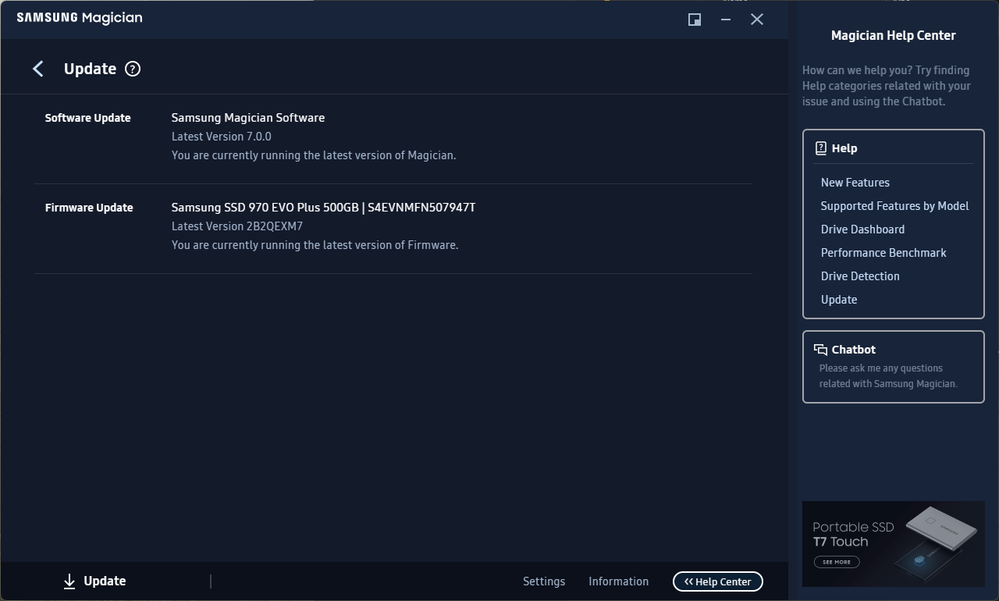
Firmware Update & Settings
About Samsung Magician
Samsung Magician is the official software from Samsung designed specifically for managing Samsung SSDs. It provides powerful tools to monitor drive health, update firmware, optimize performance, securely migrate data and run comprehensive benchmarks.
With Samsung Magician you can easily check the current status of your SSD, see remaining lifespan, temperature, read/write speeds, SMART attributes and many other important parameters. The program also allows you to update firmware to the latest version, which significantly improves performance, stability and security of your drive.
In version 9.0.1 (May 2026), Samsung Magician received a completely redesigned modern interface, improved performance optimization tools, better support for the latest Samsung SSDs (including 990 PRO, 990 EVO, T9 Portable and others) and enhanced data migration features.
Samsung Magician is completely free and works best with Samsung SSDs, but can also be used with other drives for basic monitoring. It is the recommended tool for anyone who owns a Samsung solid-state drive because it gives you full control and the most accurate information directly from the manufacturer.
Whether you use your SSD for gaming, professional video editing, daily work or as a system drive, Samsung Magician helps you maintain peak performance, extend the lifespan of your drive and protect your data. The program is especially useful when you install a new Samsung SSD and want to transfer all your data quickly and safely.
Samsung Magician stands out from third-party tools because it has direct access to Samsung’s proprietary technologies and can provide the most accurate diagnostics and optimization recommendations tailored specifically for Samsung SSDs.
Key Features
- Real-time SSD health monitoring and remaining lifespan estimation based on official Samsung data
- Automatic and manual firmware updates for better performance and security
- Performance optimization and over-provisioning tools to maximize speed
- Comprehensive benchmarking (sequential and random read/write speeds)
- Secure and fast data migration tool from old drive to new Samsung SSD
- Temperature monitoring and performance throttling alerts
- Modern intuitive interface with customizable widgets and dashboards
- Full support for all current Samsung SSDs and portable SSDs (990 PRO, 980, 870 EVO, T9 and others)
- SMART attributes analysis and detailed drive information
System Requirements
Samsung Magician is very well optimized and has low system requirements. It runs smoothly on both older and modern Windows computers without affecting overall system performance.
- Windows 11 / Windows 10 (64-bit)
- 2 GB RAM (4 GB+ recommended for best performance)
- 200 MB free disk space
Alternatives to Samsung Magician
If you are looking for other tools to monitor and manage SSDs, here are the most popular alternatives to Samsung Magician:
- CrystalDiskInfo — excellent free SSD health monitoring tool
- HWMonitor / HWiNFO — general hardware and sensor monitoring
- Samsung Data Migration — dedicated and lightweight data migration tool
- AS SSD Benchmark — pure SSD benchmarking utility