
Okular 24.05
Latest version • Updated May 2026
Okular is a powerful, free and open-source universal document viewer developed by the KDE community. It supports a wide range of document formats including PDF, EPUB, DjVu, CHM, CBR and many others with excellent performance and features.
Whether you need to read research papers, e-books, comic archives or technical documentation, Okular provides a clean, fast and highly capable viewing experience with advanced annotation tools and form support.
Completely free, open-source, lightweight and actively maintained, Okular is trusted by users who want a universal document viewer without bloat, ads or unnecessary features.
Download Okular FreeScreenshots of Okular
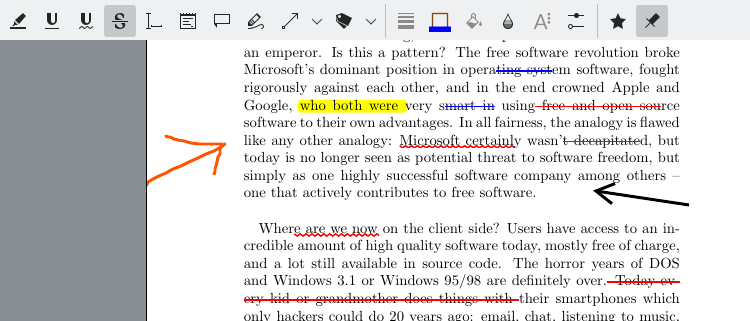
PDF Reading
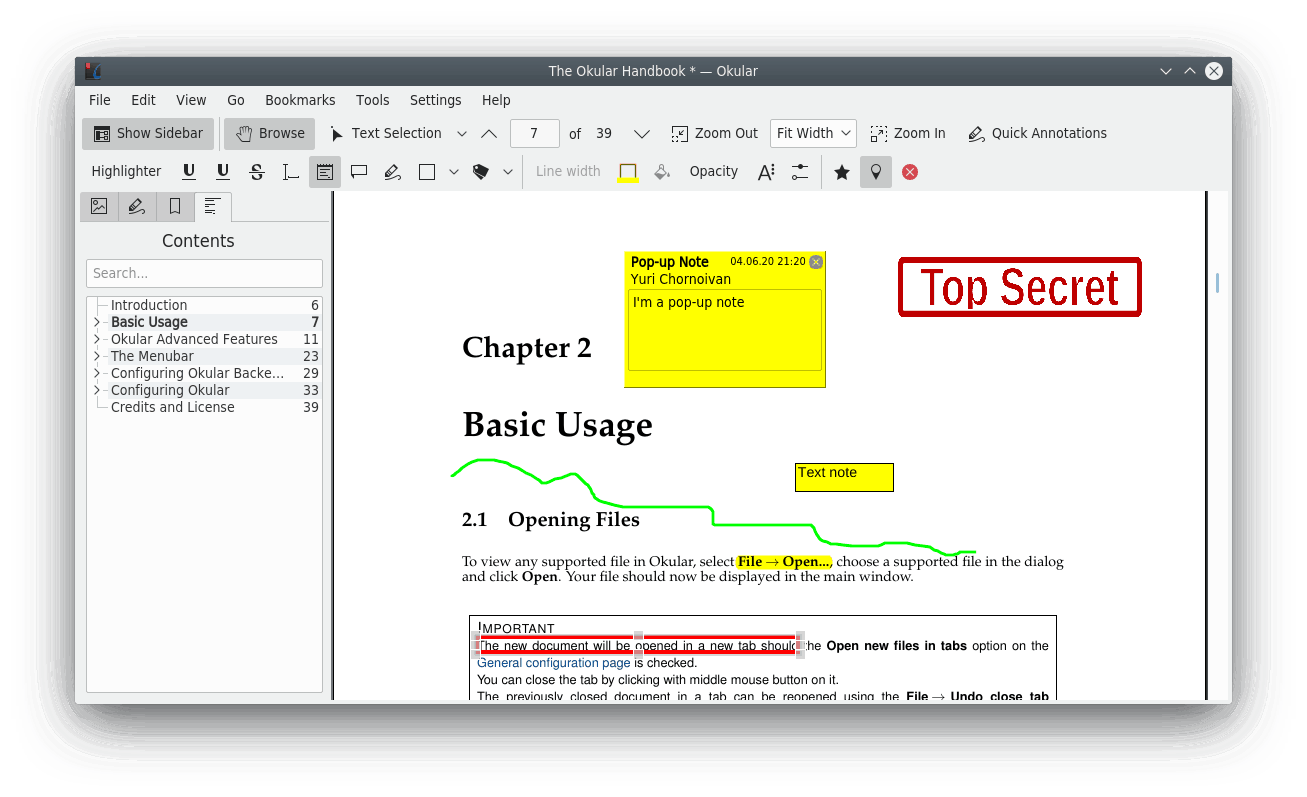
Annotations
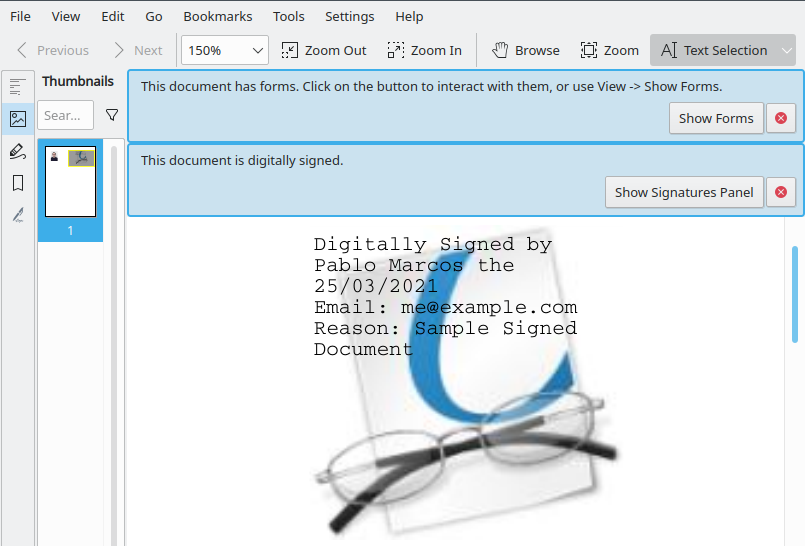
Multi-Format Support
About Okular
Okular is a powerful, free and open-source universal document viewer developed by the KDE community. It supports a wide range of document formats including PDF, EPUB, DjVu, CHM, CBR/CBZ and more.
In version 24.05 (May 2026), Okular received improved Windows 11 support, better performance and enhanced annotation tools.
The program is completely free, open-source and contains no ads or telemetry.
Okular is one of the most versatile and powerful document viewers available for Windows. Originally developed as part of the KDE Plasma desktop environment for Linux, it has been successfully ported to Windows and has gained a large and loyal user base thanks to its excellent support for multiple document formats and rich feature set.
What makes Okular special is its ability to handle almost any document format you throw at it. It can open and display PDF files with perfect accuracy, EPUB e-books, DjVu documents (popular in academic circles), CHM help files, comic book archives (CBR/CBZ), PostScript, images, and many other less common formats. This universal approach means you often don’t need several different viewers installed on your computer — Okular can handle most of them in one clean application.
The program offers advanced annotation tools that go far beyond simple highlighting. You can add notes, drawings, shapes, stamps, and text directly onto any document. These annotations are saved in a non-destructive way, so the original file remains untouched. This makes Okular especially popular among students, researchers, lawyers, and anyone who needs to review and comment on documents.
Form filling and digital signatures are also fully supported. You can easily fill interactive PDF forms, sign documents digitally, and save the changes. The search function is fast and works across the entire document, including bookmarks and table of contents navigation.
Okular’s interface is clean and modern. It uses a tabbed system so you can work with multiple documents at the same time. The sidebar provides quick access to the table of contents, thumbnails, annotations list, and review tools. You can customize the toolbar and keyboard shortcuts to match your workflow.
Being open-source, Okular is regularly updated by the KDE community. Version 24.05 (May 2026) brought significant improvements for Windows users: better high-DPI scaling, faster rendering of large PDFs, improved EPUB support, and better compatibility with the latest Windows 11 features and security mechanisms.
One of the biggest advantages of Okular is that it is completely free and open-source. There are no hidden limitations, no ads, no telemetry, and no paid “Pro” version that locks important features behind a paywall. Everything is available to all users right from the start.
Many users choose Okular as their main document viewer because it is fast, lightweight, highly compatible, and offers powerful tools without unnecessary complexity. It is especially popular among academic users, technical writers, and people who work with a wide variety of document formats on a daily basis.
In 2026, with Windows 11 being the dominant platform, Okular continues to be one of the most recommended free document viewers for users who want a powerful, reliable, and truly open-source solution.
Key Features
- Support for PDF, EPUB, DjVu, CHM and many more formats
- Advanced annotation and highlighting tools
- Form filling and digital signatures
- Table of contents and search
- Tabbed interface for multiple documents
- Very lightweight and fast
- Cross-platform (Windows, Linux, macOS)
- Completely free and open source
System Requirements
- Windows 11 / Windows 10 / Windows 8.1
- 1 GB RAM
- 100 MB free disk space
Alternatives to Okular
- SumatraPDF — ultra-lightweight PDF reader
- Foxit PDF Reader — feature-rich PDF viewer
- PDF-XChange Viewer — powerful and fast
- Adobe Acrobat Reader — official PDF viewer