
MSI Afterburner 4.6.6
Latest version • Updated May 2026
MSI Afterburner is the world’s most popular GPU overclocking and monitoring utility. It provides real-time hardware monitoring, powerful overclocking features, fan curve control, on-screen display (RTSS) and much more. Works perfectly with NVIDIA, AMD and Intel graphics cards.
Download MSI Afterburner FreeScreenshots of MSI Afterburner 4.6.6
Clean and powerful interface with real-time monitoring, overclocking controls and RTSS on-screen display.
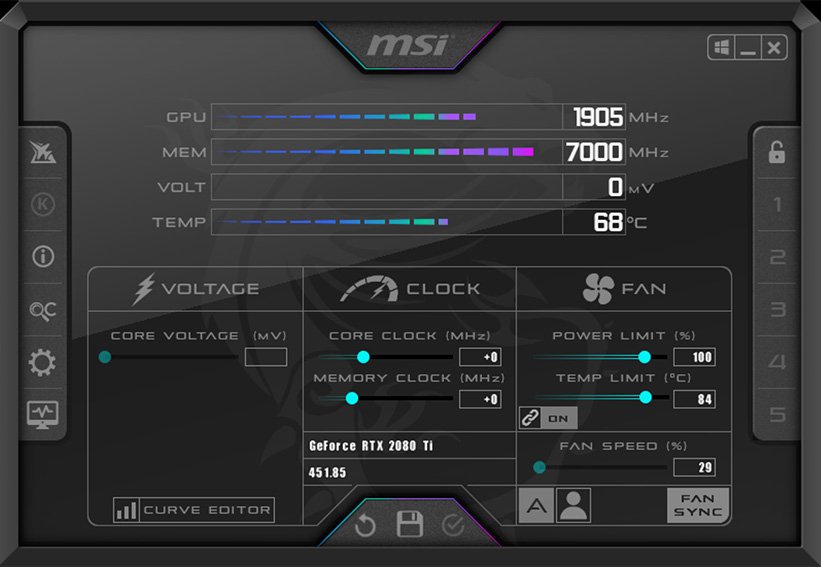
Main Monitoring Window
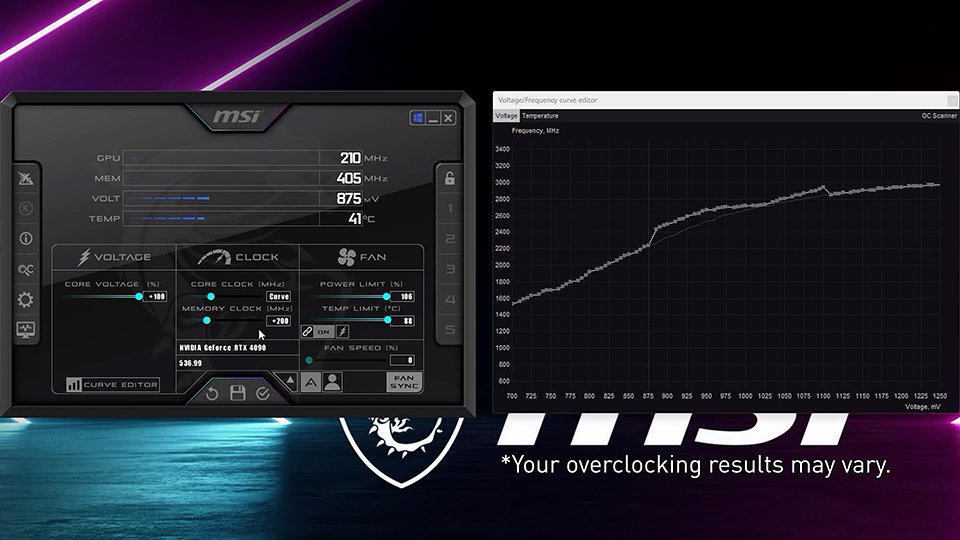
Overclocking & Fan Curve
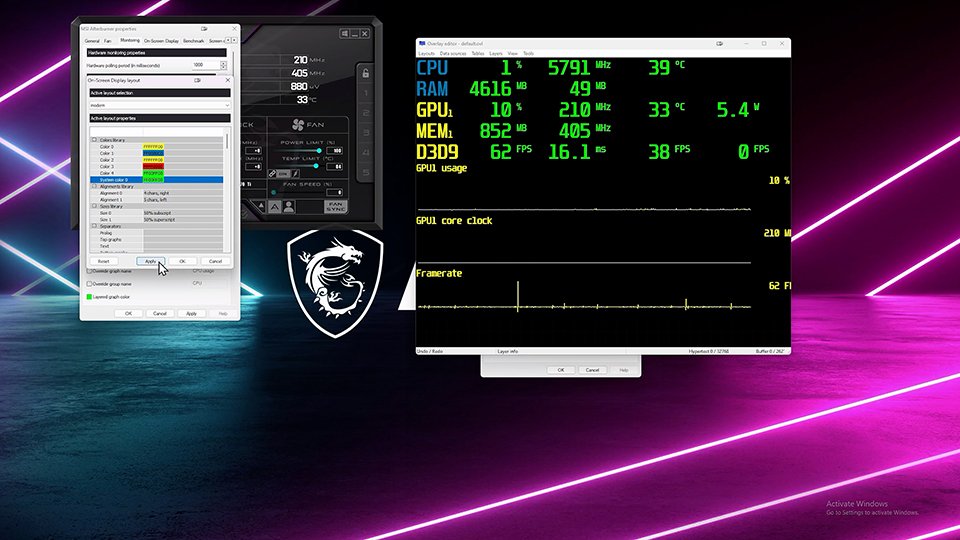
RTSS On-Screen Display (In-Game)
About MSI Afterburner
MSI Afterburner is the most popular and powerful free GPU overclocking and hardware monitoring utility in the world. For many years it has been the first choice for millions of gamers, overclockers, cryptocurrency miners, content creators and PC enthusiasts who want full control over their graphics card.
The program offers extremely detailed real-time monitoring of GPU temperature, fan speed, core and memory clock speeds, voltage, power consumption, usage percentage, frame rate and many other important parameters. It also includes the legendary RivaTuner Statistics Server (RTSS) — the best on-screen display tool that shows FPS, temperatures, load and other data directly in games.
In version 4.6.6 (May 2026), MSI Afterburner received major updates: improved support for the latest NVIDIA, AMD and Intel Arc graphics cards, more accurate sensor readings, enhanced fan curve editor, better voltage control and a cleaner modern interface while keeping the classic functionality that users love.
MSI Afterburner works perfectly with graphics cards from all manufacturers — NVIDIA GeForce, AMD Radeon and Intel Arc. It does not require an MSI motherboard and is not limited to MSI graphics cards, despite its name. The program is completely free, contains no ads, no telemetry and no forced registration.
Thanks to its stability, rich functionality and regular updates, MSI Afterburner remains the undisputed leader in the field of GPU monitoring and overclocking in 2026. It is used daily by both beginners who just want to monitor temperatures during games and professional overclockers who push their graphics cards to the limit.
One of the biggest advantages of MSI Afterburner is the combination of monitoring and overclocking in one program. You can safely increase core and memory clock speeds, adjust voltage, create custom fan curves and save everything into profiles that can be switched with a single click.
Key Features
- Real-time GPU monitoring (temperature, fan speed, core/memory clock, voltage, power consumption, usage)
- Advanced overclocking tools with core clock, memory clock and voltage control
- Custom fan curve editor for precise cooling control
- RivaTuner Statistics Server (RTSS) — the best on-screen display in games
- Hardware monitoring graphs and detailed logging
- Multiple profile system (easy switching between different settings)
- Full compatibility with NVIDIA, AMD and Intel graphics cards
- Very lightweight, stable and low resource usage
- Support for multiple GPUs in one system
System Requirements
MSI Afterburner is very lightweight and runs smoothly on both older and modern Windows systems. It has modest requirements and does not affect game performance or system stability.
- Windows 11 / Windows 10 / Windows 8.1
- 1 GB RAM
- 100 MB free disk space
Alternatives to MSI Afterburner
If you are looking for other GPU monitoring and overclocking tools, here are the most popular alternatives to MSI Afterburner:
- MSI Afterburner + RTSS — the most popular and recommended combination
- HWMonitor — simple and lightweight hardware monitoring
- GPU-Z — best tool for detailed GPU technical specifications
- EVGA Precision X1 — good alternative mainly for NVIDIA cards
- AMD Adrenalin Software — official tool for AMD graphics cards