Master PDF Editor 5.9
Latest version • Updated May 2026
Master PDF Editor is a powerful and easy-to-use PDF editor for Windows. It allows you to edit text, images, pages, add annotations, fill forms, create new PDFs and perform many professional tasks.
Unlike simple PDF viewers, Master PDF Editor gives you direct editing capabilities — you can modify text and images directly inside the PDF, rearrange or delete pages, add professional annotations, and create new documents from scratch or from scanned files.
With its clean interface, excellent compatibility and powerful feature set, Master PDF Editor has become a trusted choice for professionals who need more than just viewing PDFs — they need to edit and manage them efficiently.
Download Master PDF EditorScreenshots of Master PDF Editor
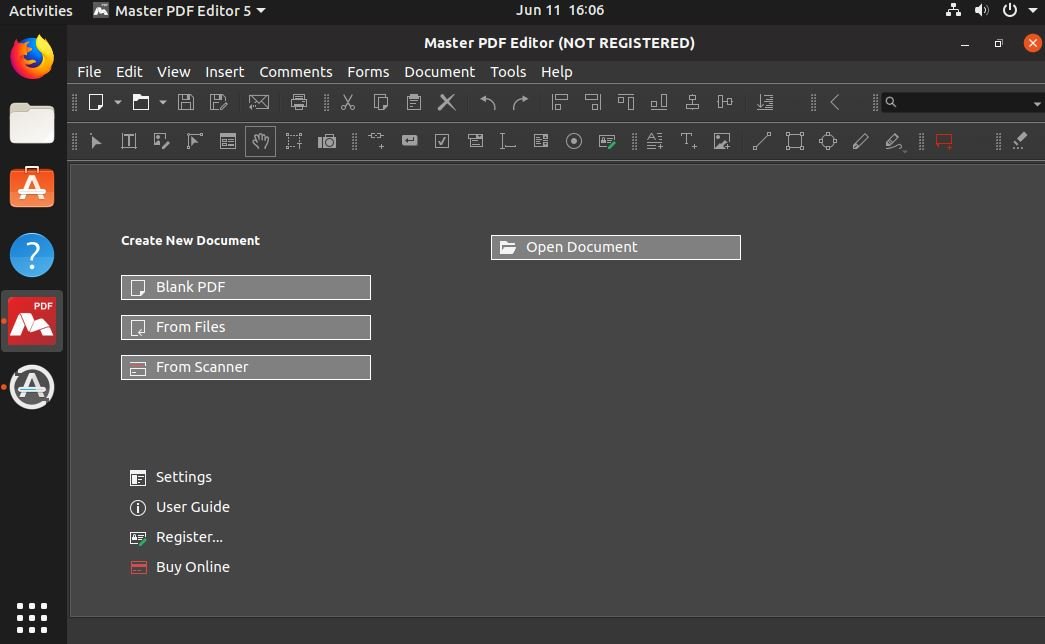
Main Editor
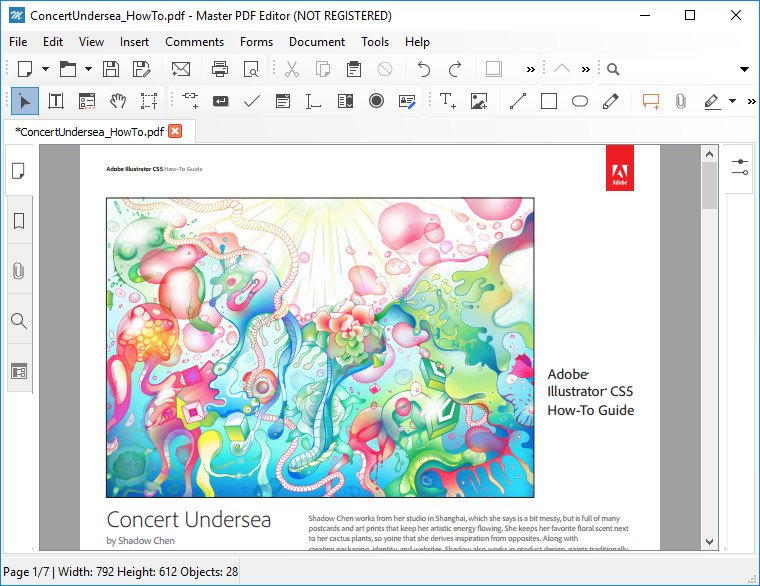
Annotations & Comments
.jpg)
Page Management
About Master PDF Editor
Master PDF Editor is a powerful and user-friendly PDF editor for Windows that allows you to edit text, images, pages, add annotations, fill forms, create new PDFs and perform many professional tasks.
In version 5.9 (May 2026), Master PDF Editor received improved performance, better Windows 11 support and enhanced editing capabilities.
The program offers a free trial. The full version is paid but provides excellent value for users who need advanced PDF editing features.
Master PDF Editor is a comprehensive PDF editing solution developed by Code Industry. It stands out among other PDF tools by offering direct editing capabilities that allow you to modify text, images, and layout elements directly inside the PDF file without converting it to another format. This makes it a favorite choice for professionals who need to make precise changes to existing PDF documents.
The program supports a wide range of professional PDF editing tasks. You can easily add, delete, rotate, reorder, or extract pages, insert or replace text and images, add annotations, comments, stamps, and drawings. Form filling and digital signature support are also included, making it suitable for working with contracts, invoices, reports, and other official documents.
One of the strongest points of Master PDF Editor is its excellent balance between power and ease of use. The interface is clean and intuitive, with a familiar ribbon-style toolbar that makes advanced features accessible even for users who are not PDF experts. At the same time, the program offers deep functionality that satisfies the needs of advanced users and businesses.
Master PDF Editor also includes powerful tools for creating new PDF documents from scratch or from various sources such as images, scanned documents, or existing files. The built-in OCR (optical character recognition) in the Pro version allows you to convert scanned PDFs into searchable and editable text, which is extremely useful for digitizing paper archives or working with scanned contracts and books.
Security features are well implemented. You can protect your PDFs with passwords, set permissions (such as disabling printing or editing), and apply digital signatures to ensure document authenticity. All changes are made safely and non-destructively, preserving the original quality of the document.
In version 5.9 (May 2026), the developers focused on modern Windows 11 compatibility, improved performance when working with large and complex PDFs, enhanced rendering quality on high-resolution displays, and added several new editing tools requested by the user community.
The program offers a fully functional free trial, allowing users to test all features before purchasing the full version. Many users find that the free trial is sufficient to evaluate whether the advanced editing capabilities meet their needs.
Master PDF Editor is especially popular among office workers, lawyers, accountants, students, and anyone who regularly works with PDF documents that require editing rather than just viewing. It provides a cost-effective and powerful alternative to more expensive solutions like Adobe Acrobat Pro while maintaining high compatibility and reliability.
The combination of direct editing capabilities, advanced annotation tools, form support, and excellent performance makes Master PDF Editor one of the most capable PDF editors available for Windows users in 2026.
Key Features
- Direct text and image editing in PDF
- Add, delete, rotate and reorder pages
- Advanced annotation and commenting tools
- Form filling and digital signatures
- Create new PDF from images or documents
- Convert PDF to Word, Excel and other formats
- OCR support (Pro version)
- Password protection and permissions
System Requirements
- Windows 11 / Windows 10 / Windows 8.1
- 2 GB RAM (4 GB recommended)
- 300 MB free disk space
Alternatives to Master PDF Editor
- Foxit PDF Editor — feature-rich PDF editor
- PDF-XChange Editor — powerful and affordable
- Adobe Acrobat Pro — professional industry standard
- LibreOffice Draw — free PDF editing