
Macro Recorder 2.3
Latest version • Updated May 2026
Macro Recorder is the easiest and most popular tool to record and automate mouse clicks, keyboard actions and repetitive tasks on Windows. Simply record your actions once and play them back anytime — perfect for automating boring work.
Download Macro Recorder FreeScreenshots of Macro Recorder
Simple and intuitive interface for recording and editing macros.
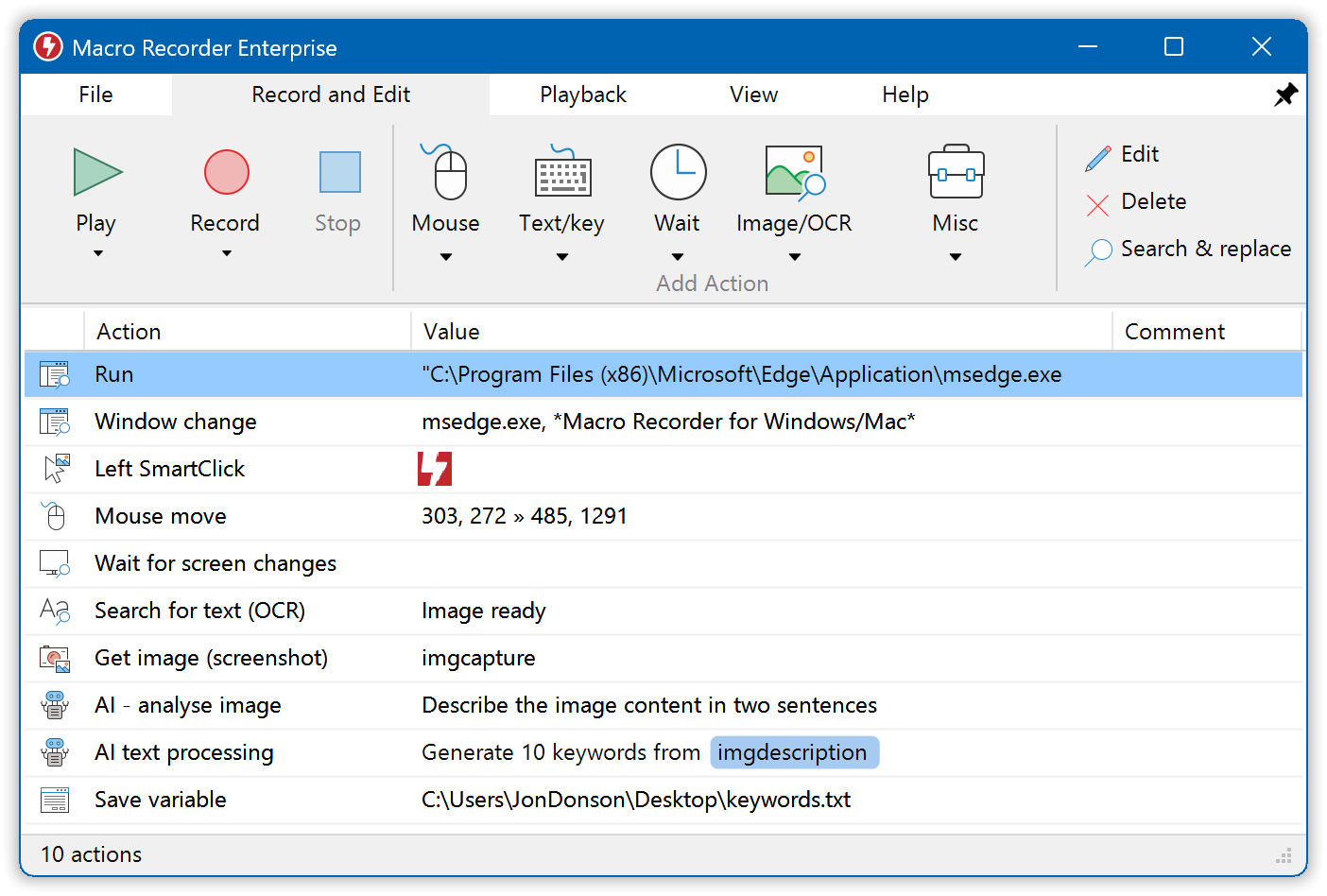
Recording Interface
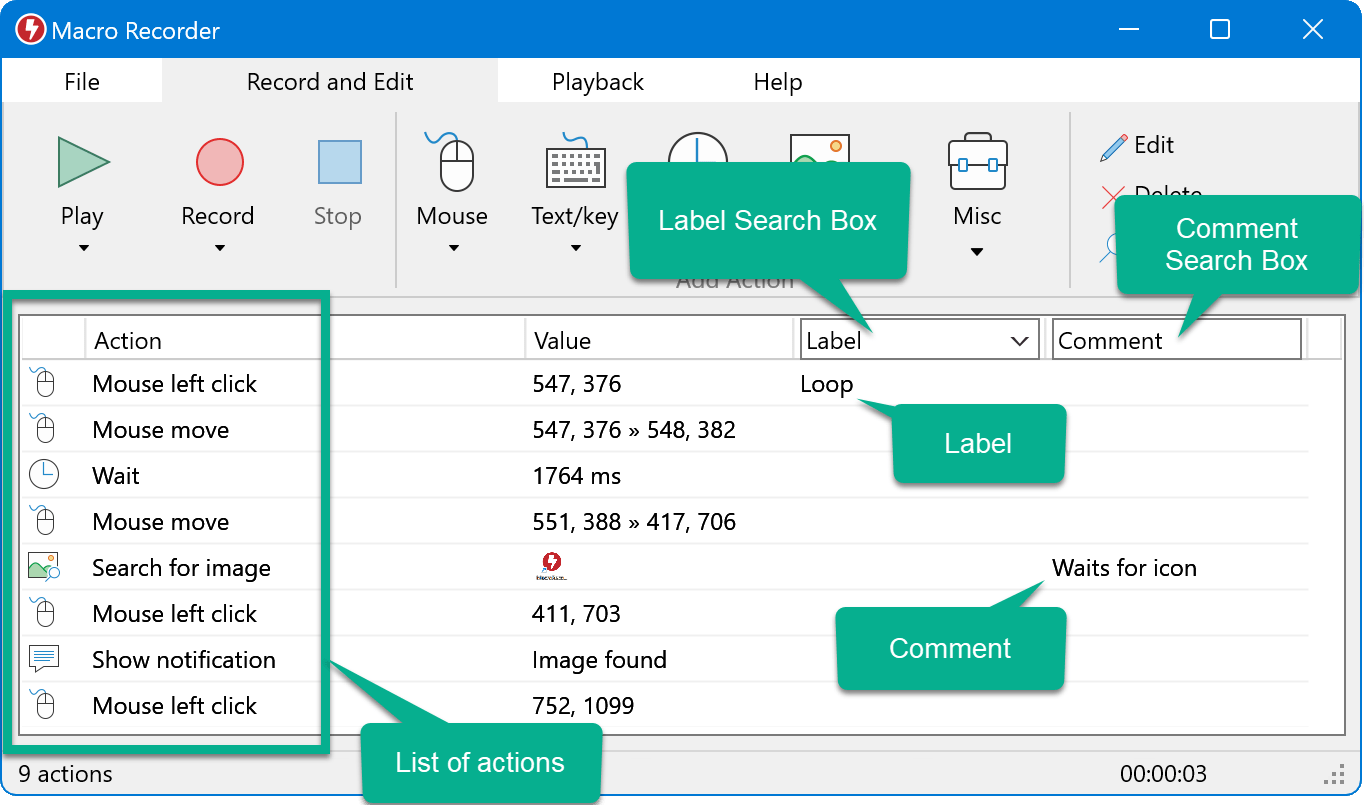
Macro Editor
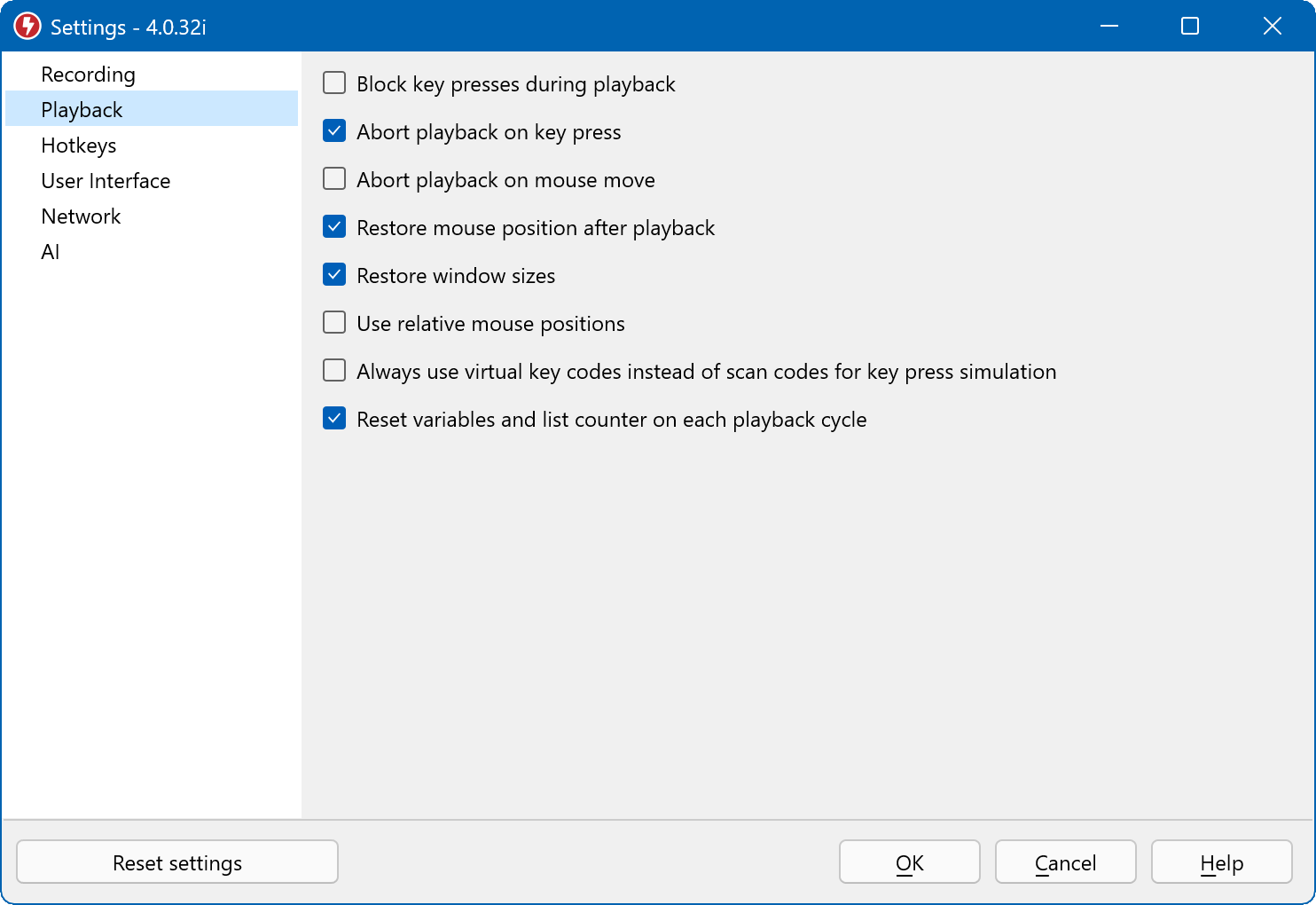
Playback & Settings
About Macro Recorder
Macro Recorder is one of the easiest and most popular tools to record and automate mouse clicks, keyboard actions and repetitive tasks on Windows. It records everything you do on the screen and then plays it back exactly as you recorded it, making it perfect for anyone who wants to automate boring and repetitive work.
No programming skills are required — just click the Record button, perform your actions once, and Macro Recorder will repeat them whenever you want, as many times as you need. It is ideal for automating data entry, filling out forms, testing software, file operations, report generation and many other routine tasks.
In version 2.3 (May 2026), Macro Recorder received improved recording accuracy, better Windows 11 support, enhanced editing capabilities, smarter playback options and a cleaner modern interface.
Macro Recorder is available in both free and paid versions. The free version is already very capable for most users, while the paid version adds advanced features such as conditional logic, variables, scheduled execution and more.
Many users choose Macro Recorder because it is extremely simple to use yet surprisingly powerful. You can record complex sequences involving multiple programs, windows, mouse movements and keyboard input, and then replay them with a single click or hotkey.
It is especially popular among office workers, data entry specialists, testers, accountants, marketers and anyone who performs the same actions many times a day. By automating these tasks, Macro Recorder can save hours of work every week.
Key Features
- Easy one-click recording of mouse and keyboard actions
- Intelligent macro playback with adjustable speed
- Built-in macro editor for fine-tuning recorded actions
- Loop and schedule macros to run automatically
- Support for conditional logic and variables (in Pro version)
- Very lightweight and easy to use even for beginners
- Portable version available — no installation required
System Requirements
Macro Recorder is very lightweight and runs smoothly on both old and modern Windows systems. It has minimal system requirements and does not slow down your computer during recording or playback.
- Windows 11 / Windows 10 / Windows 8.1 / Windows 7
- 1 GB RAM
- 50 MB free disk space
Alternatives to Macro Recorder
If you are looking for other tools to record and automate repetitive tasks, here are the most popular alternatives to Macro Recorder:
- AutoHotkey — more powerful scripting automation tool
- AutoIt — similar scripting language with strong GUI automation
- PowerToys — official Microsoft utilities
- Jitbit Macro Recorder — another popular macro tool