
Fan Control 1.7
Latest version • Updated May 2026
Fan Control is the most popular open-source tool to create custom fan curves and control CPU, GPU, case fans, AIO pumps and RGB lighting. Perfect for building silent PCs, achieving maximum cooling performance during heavy loads, or fine-tuning your system for overclocking.
With Fan Control you can link any fan or pump to any temperature sensor (CPU, GPU, VRM, liquid temperature, etc.) and create highly precise, responsive curves. The program gives you complete control over your entire cooling system in one clean and lightweight interface.
Whether you want near-silent operation at low temperatures or aggressive cooling under load, Fan Control makes it simple and effective. Trusted by hundreds of thousands of enthusiasts and overclockers worldwide.
Download Fan Control FreeScreenshots of Fan Control
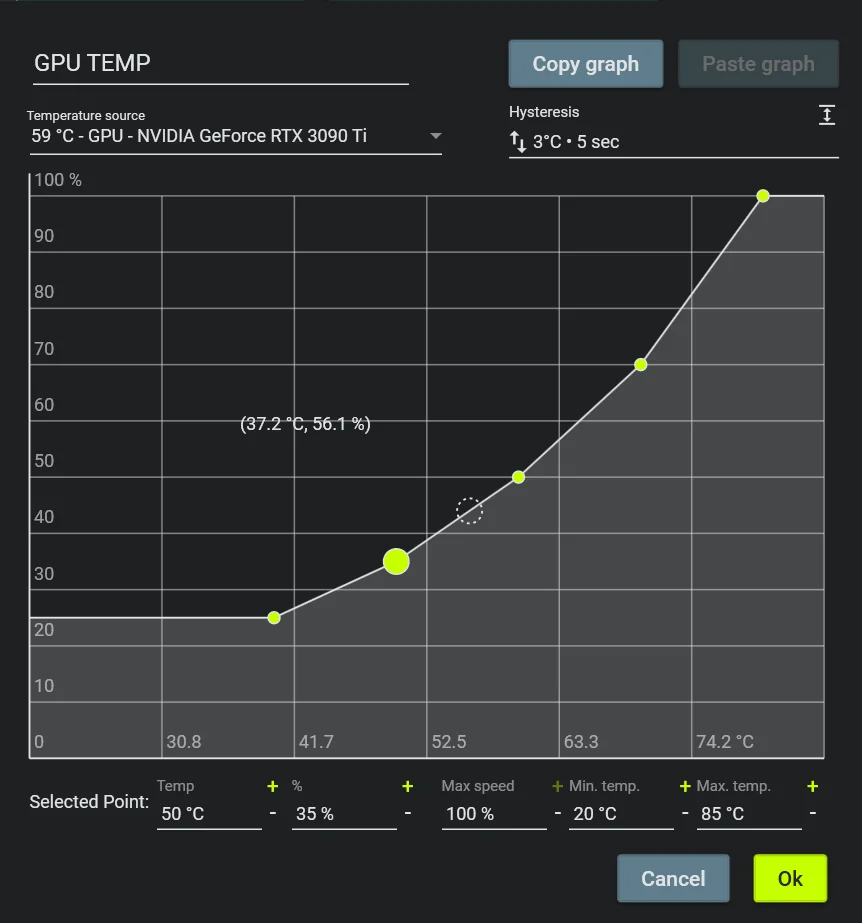
Custom Fan Curves
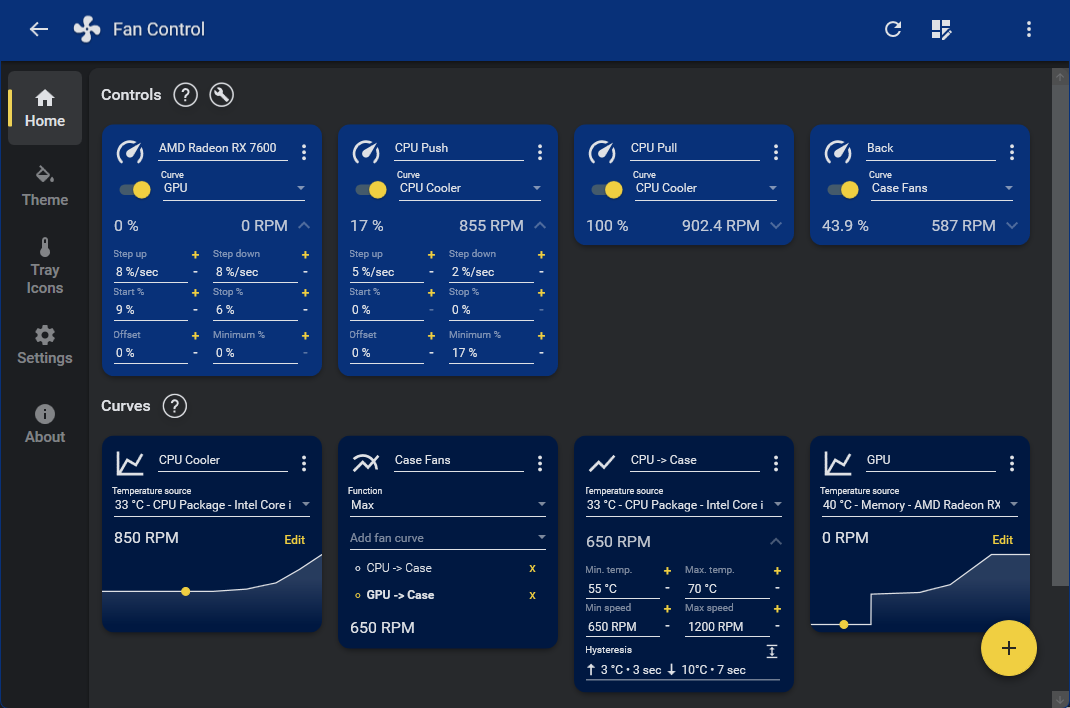
Real-time Sensors
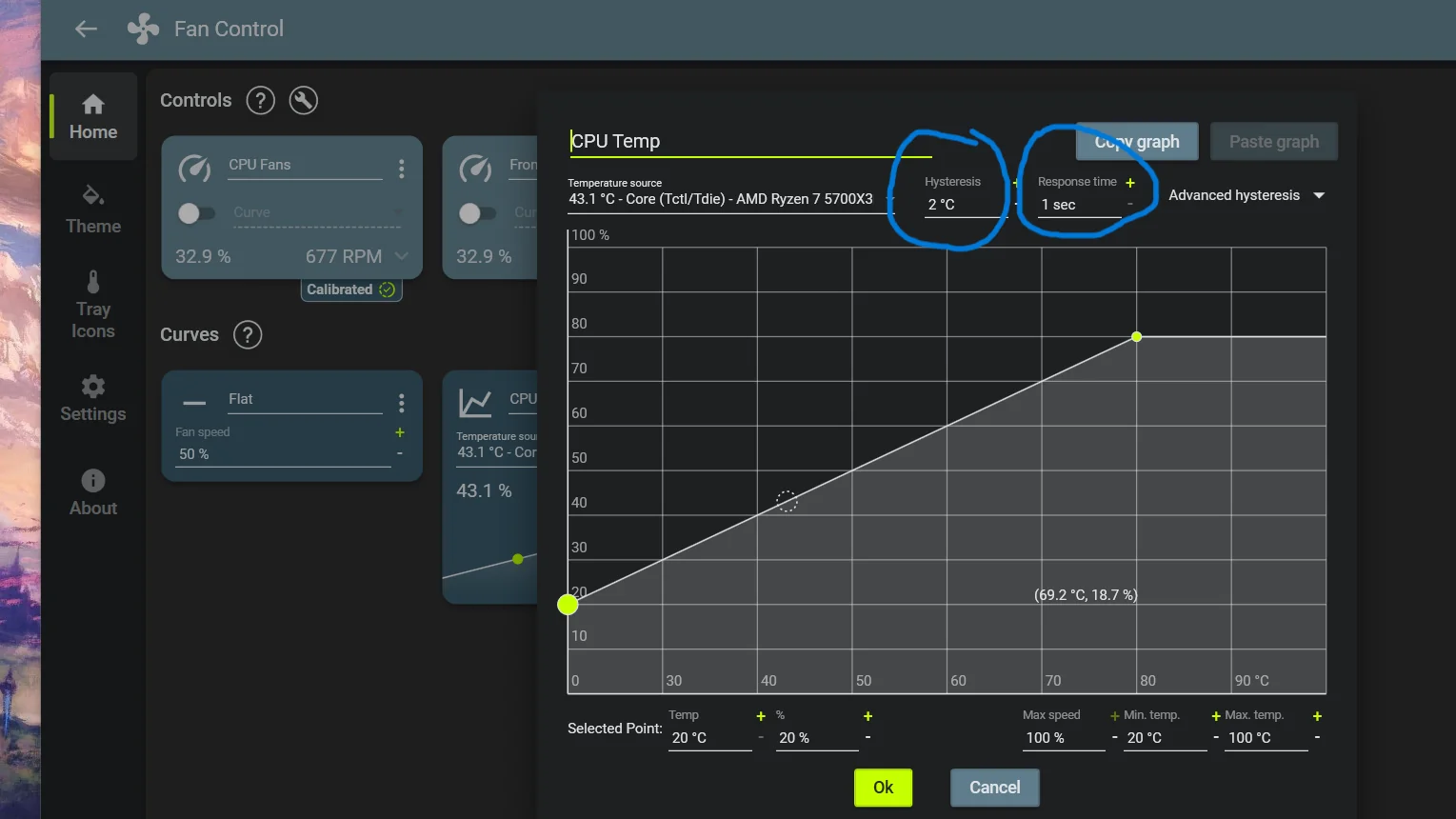
Graph Monitoring
About Fan Control
Fan Control is the most popular open-source utility for advanced fan and pump speed control on Windows. Developed by Rem0o, it allows you to create highly customizable fan curves based on temperature sensors from CPU, GPU, motherboard and other components.
Whether you want a completely silent PC at low temperatures or maximum cooling under heavy load, Fan Control gives you precise control over every fan in your system.
In version 1.7 (May 2026), Fan Control received improved support for the latest hardware, faster response time, better Windows 11 compatibility and new sensor detection features.
The program is completely free, open-source, portable and contains no ads or telemetry. It is trusted by hundreds of thousands of enthusiasts, overclockers and users who want better control over their PC cooling.
Fan Control has quickly become the go-to tool for anyone who wants full control over their PC’s cooling system. In an era where modern CPUs and GPUs can reach very high temperatures under load, having precise and intelligent fan curves is essential not only for keeping temperatures low, but also for achieving a quiet, efficient and long-lasting system. Unlike manufacturer software (MSI Afterburner, ASUS Armoury Crate, etc.) which is often limited to specific hardware, Fan Control works with almost any fan or pump connected to your motherboard.
The core feature of Fan Control is the ability to create unlimited custom fan curves. You can link any fan to any temperature sensor — CPU, GPU, VRM, chipset, liquid temperature, or even a custom sensor. You can mix multiple sensors using advanced formulas (average, maximum, minimum, etc.) so the fan speed reacts exactly the way you want. This level of flexibility is unmatched in any other free tool.
Many users build completely silent PCs with Fan Control. At idle or light load the fans stay at 0% or very low RPM, and only spin up when the temperature actually requires it. Gamers and overclockers use it to maintain safe temperatures during long gaming sessions or heavy rendering while keeping noise levels as low as possible. Enthusiasts with custom water cooling loops love the ability to control both radiator fans and AIO pumps with a single, simple interface.
The program is completely portable — there is no installation required. You can run it directly from a USB drive or place it in any folder. This makes it perfect for testing on multiple PCs, LAN parties, or for system administrators who need to quickly configure cooling on different machines.
Real-time monitoring is another strong point. Fan Control shows live graphs of all temperatures, fan speeds, pump RPM and even power consumption. You can see historical data, set up alerts, and export logs if needed. The clean and modern interface makes it easy to understand even for beginners, while offering deep customization for advanced users.
In version 1.7 (released May 2026) the developer added significantly better support for the newest Intel Arrow Lake and AMD Ryzen 9000 series processors, improved detection of modern AIO pumps, faster curve response time and better compatibility with Windows 11 24H2. The sensor detection algorithm was also updated to work with more exotic motherboards and third-party fan controllers.
Because Fan Control is open-source, the community actively contributes new features, bug fixes and support for new hardware. This ensures the tool stays relevant and up-to-date for many years. Many users consider it the spiritual successor to the old SpeedFan, but with a much more modern and user-friendly design.
Safety is built into every part of the program. You can set minimum and maximum fan speeds, create hysteresis to prevent rapid speed changes, and even add a safety fallback curve that forces fans to 100% if the program crashes or loses connection to sensors. This gives peace of mind even on high-end overclocked systems.
Fan Control works perfectly with all major hardware vendors — Intel, AMD, NVIDIA, as well as motherboards from ASUS, MSI, Gigabyte, ASRock and others. It supports 3-pin, 4-pin PWM and even some 5V ARGB fans through compatible controllers.
If you are tired of loud stock fan curves, want better temperatures, or simply want to fine-tune your cooling system to perfection, Fan Control is currently the best free solution available in 2026. It combines power, simplicity and flexibility in one lightweight package.
Key Features
- Custom fan curves based on any temperature sensor
- Support for CPU, GPU, motherboard, AIO pumps and case fans
- Real-time temperature and fan speed monitoring
- Graph view with historical data
- Portable — no installation required
- Advanced mixing of multiple sensors
- Works with all modern hardware (Intel, AMD, NVIDIA)
- Completely free and open source
System Requirements
- Windows 11 / Windows 10 / Windows 8.1
- 512 MB RAM
- 30 MB free disk space
Alternatives to Fan Control
- MSI Afterburner — powerful with RGB control
- Argus Monitor — paid but very advanced
- SpeedFan — classic (older) tool
- HWMonitor — monitoring only