Duplicate Cleaner Free 5.1
Latest version • Updated May 2026
Duplicate Cleaner Free is the most powerful and easy-to-use tool to find and remove duplicate files on your Windows PC. It helps you free up valuable disk space by safely deleting identical photos, music, videos, documents and other files.
Download Duplicate Cleaner FreeScreenshots of Duplicate Cleaner Free
Clean and powerful interface for finding and managing duplicate files.
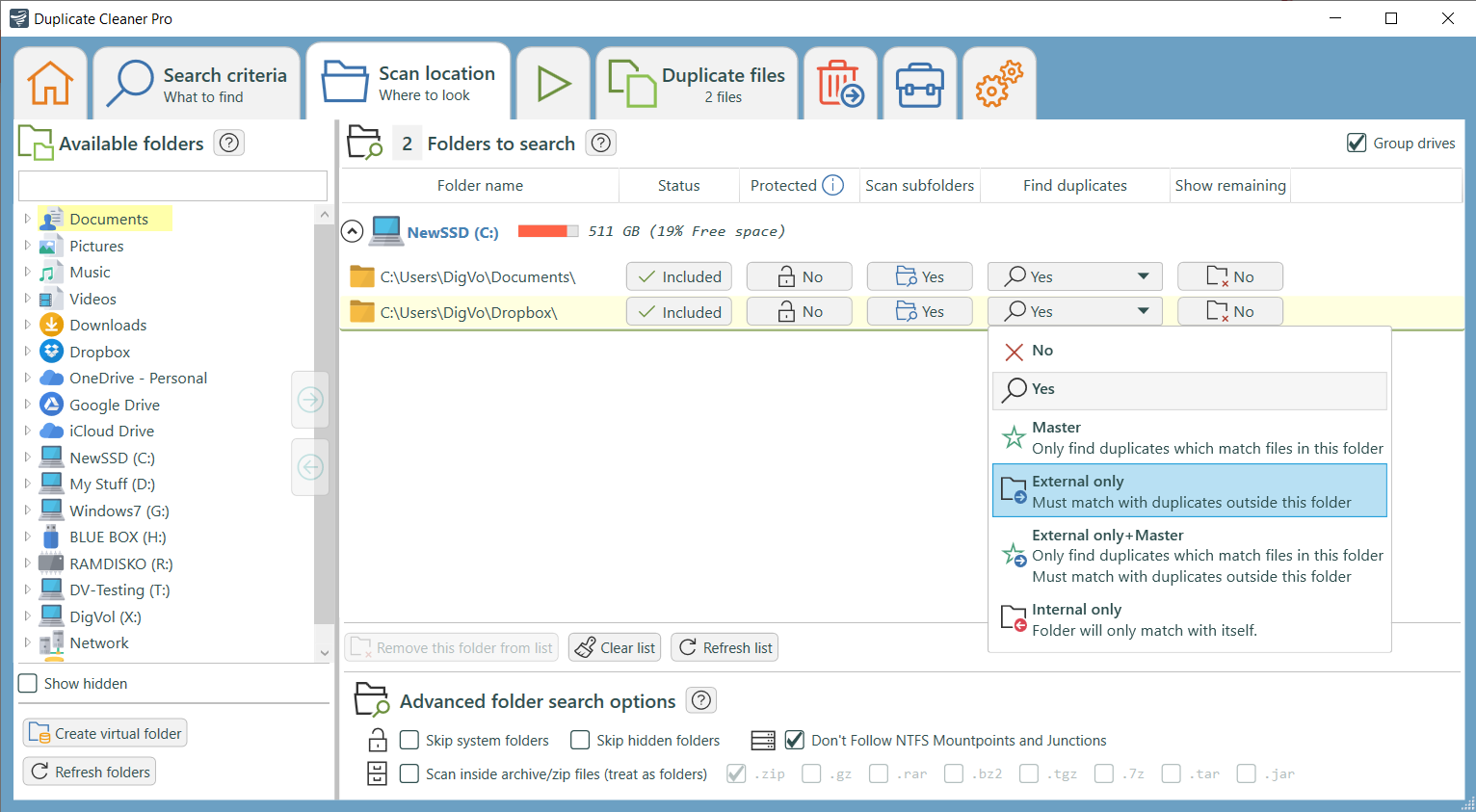
Main Scan Interface
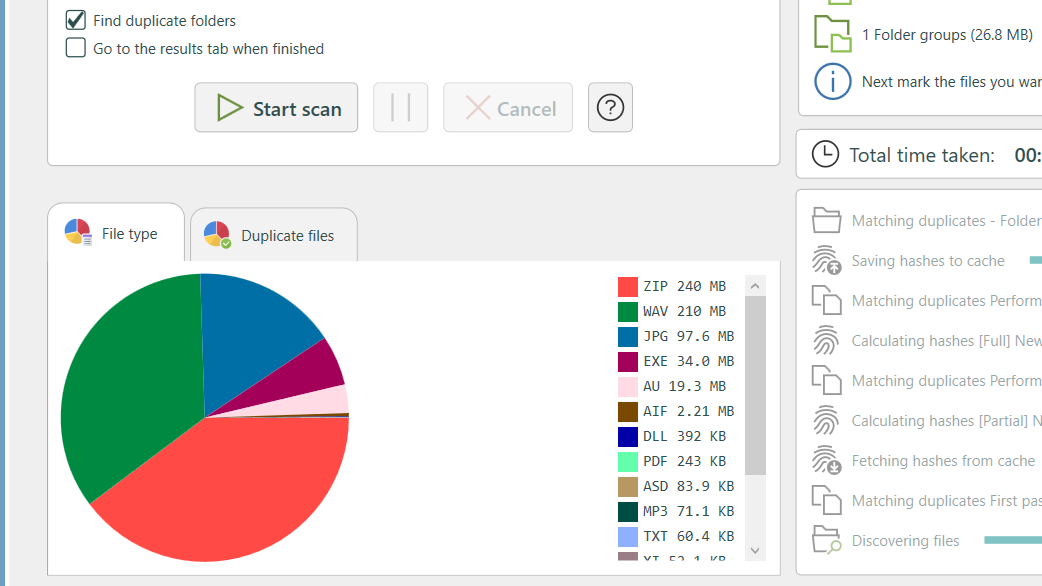
Scan Results
.jpg)
Selection & Deletion
About Duplicate Cleaner Free
Duplicate Cleaner Free is one of the most powerful and popular tools to find and remove duplicate files on your Windows PC. It helps you free up valuable disk space by safely deleting identical photos, music, videos, documents and other files that accumulate over time.
In today’s digital world, duplicate files have become one of the biggest hidden problems for both home users and professionals. With massive photo libraries from smartphones and cameras, thousands of music tracks from streaming services and downloads, multiple versions of videos, and endless copies of documents, presentations, and spreadsheets, it’s incredibly easy to end up with hundreds of gigabytes of redundant data quietly eating up your hard drive or SSD space. This not only wastes precious storage but also slows down file searches, makes backups larger and slower, and creates confusion when you’re trying to find the correct, most recent version of a file.
Unlike basic duplicate finders that only compare file names or sizes, Duplicate Cleaner Free uses advanced comparison algorithms — including precise byte-by-byte verification for absolute accuracy and intelligent fuzzy matching. This means it can detect true duplicates even if the files have completely different names, were slightly edited, saved in different formats, or are located in completely different folders across your entire system.
In version 5.1 (updated May 2026), Duplicate Cleaner received major performance improvements: significantly faster scanning speeds on modern Windows 11 systems and large NVMe SSDs, better support for the latest file systems, enhanced preview capabilities for images, audio files, videos and documents, and a cleaner, more modern user interface that makes the entire process faster and more enjoyable than ever before.
The free version is already remarkably capable and more than sufficient for the vast majority of users. It gives you complete control over every step of the scanning and deletion process and never deletes anything automatically — you always review the results and decide what to keep or remove. The paid Pro version adds powerful automation features such as smart selection rules, folder comparison mode, scheduled scans, and priority technical support.
Duplicate Cleaner is trusted by millions of users worldwide because it is extremely safe, highly accurate, and puts you completely in control. It has been a go-to tool for over a decade and continues to be praised in independent reviews for its speed, reliability, and intuitive workflow. Professional photographers use it to clean up massive RAW photo libraries and keep only the best shots. Music collectors use it to remove duplicate tracks and organize their libraries. Video editors use it to manage multiple project versions and free up terabytes of space. Regular home users simply rely on it to reclaim space on their C: drive, make their PC run noticeably faster, and keep their digital life organized.
The program works excellently with all common file types and supports scanning of internal drives, external hard drives, USB flash drives, and even network locations. You can scan multiple drives at the same time and get detailed statistics showing exactly how much disk space you can recover. The built-in preview system lets you quickly view images, play audio clips, watch video snippets, or open documents directly inside the program so you never delete the wrong file by mistake.
What makes Duplicate Cleaner Free particularly valuable in 2026 is its perfect balance between raw power and simplicity. While some tools are overly complicated with dozens of confusing options, and others are too basic to be truly useful, Duplicate Cleaner hits the sweet spot — powerful enough for advanced users and system administrators yet simple enough for beginners and everyday home users.
Many users report freeing up 50 GB, 100 GB, or even more after their first scan. This extra space translates directly into better system performance, faster backups, and the ability to install new games, edit high-resolution videos, or simply enjoy a cleaner, faster computer. The program also helps prevent future clutter by teaching you good file management habits and showing you exactly where duplicates tend to appear most often.
Safety is built into every part of the program. Duplicate Cleaner never touches your original files until you explicitly confirm deletion. It offers multiple safe deletion methods including moving files to the Windows Recycle Bin, moving them to a separate “Quarantine” folder for later review, or permanently deleting them only after your final approval. You can also create detailed reports and export results for future reference.
In 2026, with ever-growing media libraries and cloud backups creating even more duplicate copies, tools like Duplicate Cleaner Free have become essential rather than optional. Whether you are a creative professional dealing with terabytes of media files, a student managing research documents, or just someone who wants a faster and cleaner Windows 11 PC, Duplicate Cleaner Free delivers reliable, fast, and safe results every single time.
The lightweight nature of the program means it runs smoothly even on older computers and low-resource systems. The portable version lets you run it directly from a USB drive without installation — perfect for cleaning up friends’ PCs or using it on multiple machines. Regular updates ensure full compatibility with the latest Windows 11 builds and new file formats.
If you are tired of running out of disk space, frustrated by slow file searches, or simply want to organize your digital life once and for all, Duplicate Cleaner Free is the best free solution available. It has helped millions of users reclaim their storage, speed up their computers, and regain control over their files — and it can do the same for you.
Key Features
- Fast and accurate duplicate file detection
- Byte-by-byte and fuzzy comparison methods
- Support for photos, music, videos, documents and more
- Built-in preview for images and documents
- Smart selection rules and filters
- Safe deletion with recycle bin option
- Very lightweight and fast performance
- Portable version available
System Requirements
- Windows 11 / Windows 10 / Windows 8.1 / Windows 7
- 1 GB RAM (2 GB recommended for large drives)
- 50 MB free disk space
Alternatives to Duplicate Cleaner Free
- Duplicate Cleaner Pro — paid version with advanced features
- CCleaner Free — has basic duplicate finder
- Glary Utilities Free — all-in-one optimizer with duplicate finder
- Auslogics Duplicate File Finder — another popular duplicate tool