
CapCut Desktop
Latest version • Updated May 2026
CapCut Desktop is the best free video editor for Windows and macOS in 2026. Perfect for creating TikTok videos, YouTube Shorts, Instagram Reels, and professional content, CapCut offers powerful AI tools including auto-captions, smart effects, transitions, templates, chroma key, and one-click background removal. Completely free with no watermark on most exports, it delivers professional-grade editing features that were previously only available in paid software. Whether you're a beginner or an experienced creator, CapCut Desktop makes video editing fast, easy, and fun with its intuitive interface and huge library of trending effects and music.
Download CapCut Desktop FreeScreenshots
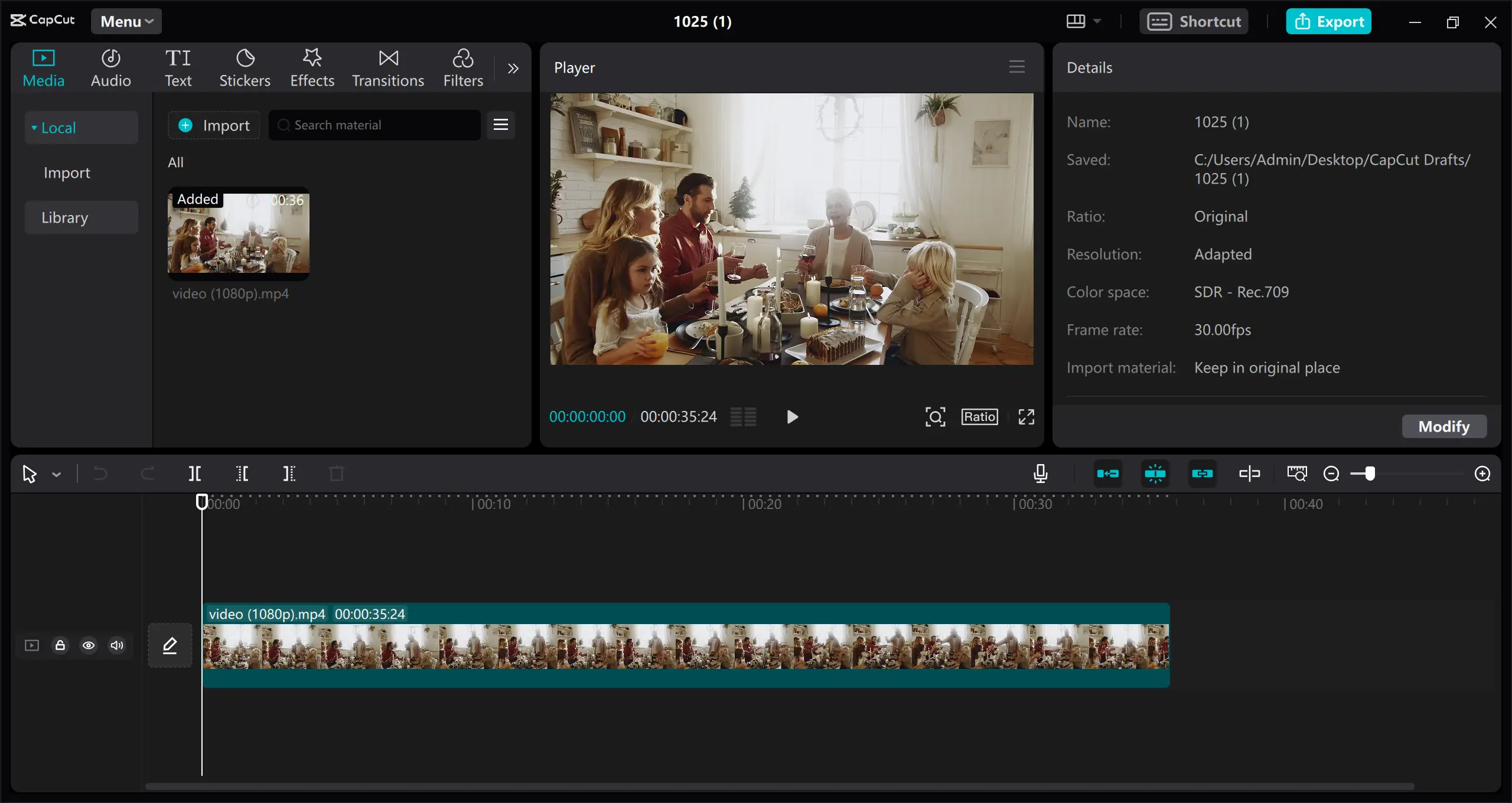
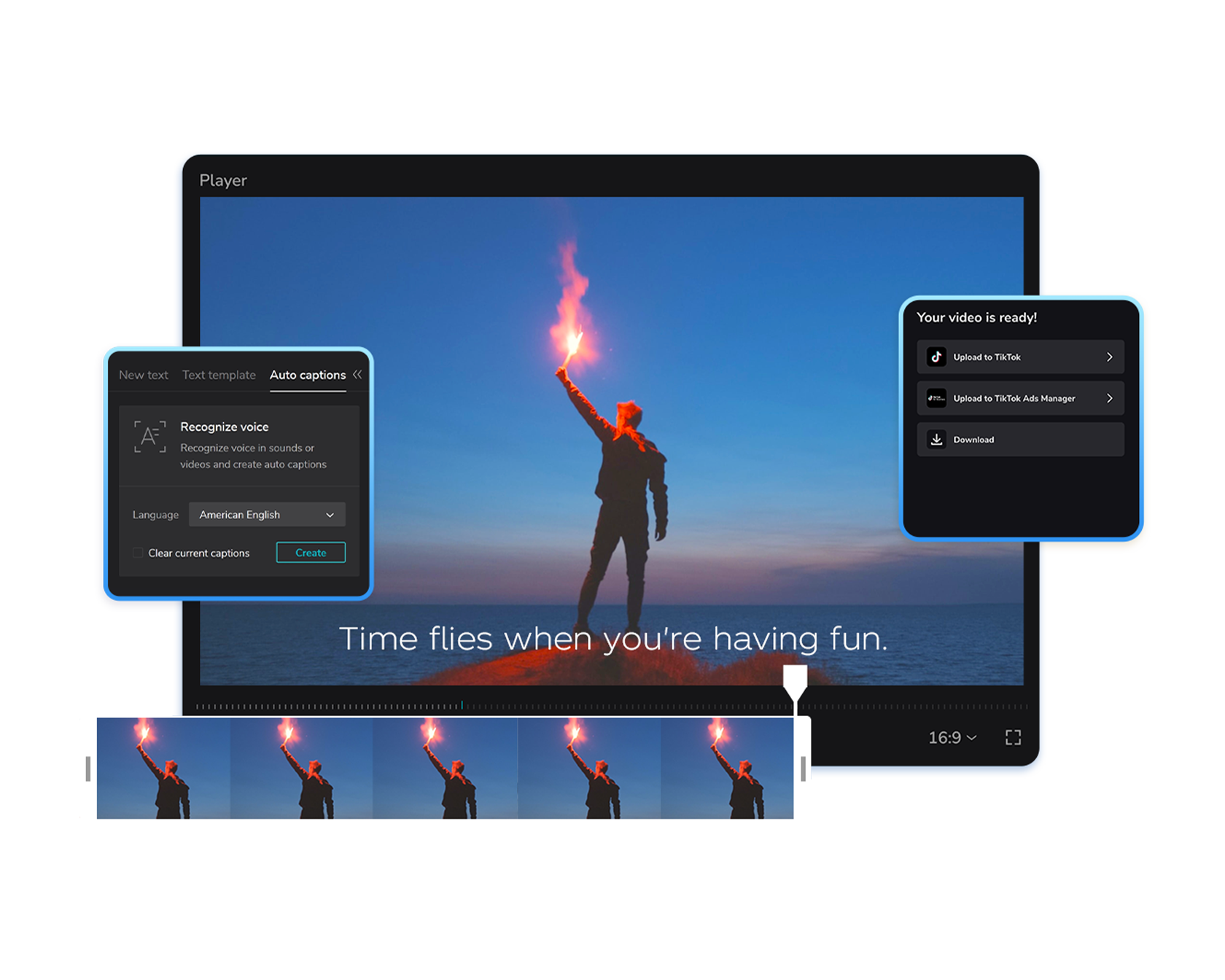
.jpg)
About CapCut Desktop
CapCut Desktop is a powerful, easy-to-use, and completely free video editor developed by ByteDance, the creators of TikTok. It has quickly become one of the most popular video editing programs in 2026 among content creators, TikTokers, YouTubers, and Instagram Reels makers thanks to its modern intuitive interface, huge library of trending effects, professional tools, and advanced AI features.
Unlike many other free editors that are limited or filled with watermarks and ads, CapCut Desktop offers professional-grade editing capabilities completely free of charge. You can create high-quality videos for TikTok, YouTube Shorts, Instagram Reels, YouTube, and even long-form content with multi-layer timeline editing, automatic captions, smart effects, transitions, templates, chroma key, background removal, and much more.
In the latest 2026 version CapCut Desktop received major performance improvements, better support for 4K and 8K footage, enhanced AI tools (including voice effects, auto beat sync, and one-click background removal), and faster rendering speeds. It works perfectly on both Windows and macOS, making it the go-to choice for creators who need a fast, powerful, and truly free video editor without any hidden limitations.
Whether you are a beginner just starting to make videos or an experienced creator looking for a lightweight yet professional tool, CapCut Desktop delivers everything you need in one beautiful and easy-to-use application.
Key Features
- Professional multi-track timeline editing with unlimited layers and precise controls
- Highly accurate automatic captions and subtitles with AI voice detection and text effects
- Thousands of trending effects, transitions, animations, stickers, and ready-made templates
- Advanced AI tools including one-click background removal, voice changer, auto beat sync, and object tracking
- High-quality export up to 4K and 8K resolution with no watermark in most cases
- Direct export to TikTok, YouTube, Instagram, and other social platforms
- Fast rendering and smooth performance even on mid-range computers
- Built-in music library with copyright-free tracks and sound effects
- Chroma key (green screen), keyframe animation, speed ramping, and color grading tools
- Seamless cloud sync between mobile and desktop versions
System Requirements
CapCut Desktop is well optimized and runs smoothly on most modern computers. It is designed to deliver excellent performance even on mid-range hardware while still supporting professional 4K and high-resolution video editing.
- Windows 10 / Windows 11 (64-bit recommended)
- macOS 12 Monterey or newer
- 8 GB RAM minimum (16 GB or more strongly recommended for 4K editing)
- 4 GB free disk space during installation (more space needed for video projects)
- Dedicated GPU recommended for best performance with effects and 4K footage
- Intel i5 / AMD Ryzen 5 processor or better
- Fully compatible with the latest Windows 11 24H2 and macOS Sequoia updates
Alternatives to CapCut Desktop
If you are looking for other video editing software in 2026, here are the most popular alternatives to CapCut Desktop. Each program has its own strengths depending on whether you need professional features, simplicity, or completely open-source tools.
- DaVinci Resolve — more professional color grading and advanced editing tools, completely free version available
- OBS Studio — best choice for screen recording and live streaming, but limited editing capabilities
- Shotcut — completely free and open-source video editor with no restrictions
- VLC Media Player — simple playback and very basic editing, not suitable for complex projects
- Adobe Premiere Pro — industry standard (paid subscription), much more advanced but not free
- iMovie — excellent free option for Mac users with simple and clean interface