
AutoIt v3.3.16
Latest version • Updated May 2026
AutoIt is a powerful free scripting language for Windows automation. It allows you to create hotkeys, macros, automate any repetitive task, control GUI elements and build your own tools and applications.
Download AutoIt FreeScreenshots of AutoIt v3.3.16
Script editor, automation examples and powerful GUI creation tools.
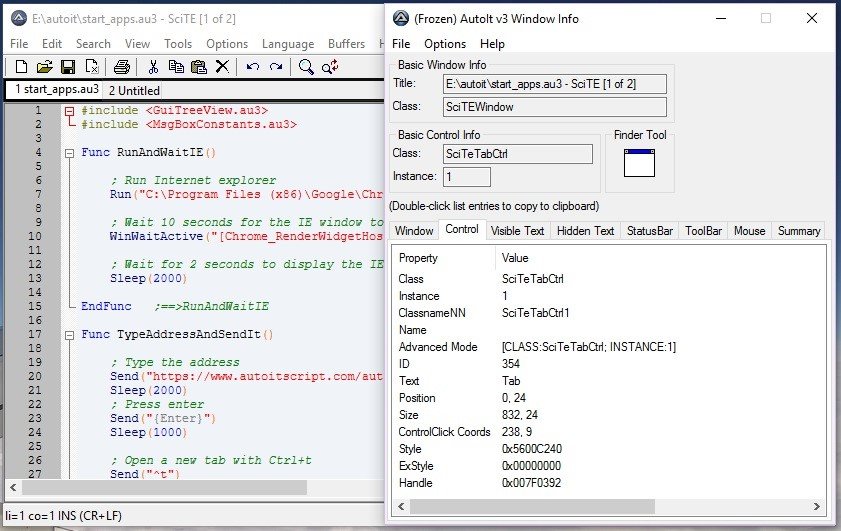
Script Editor
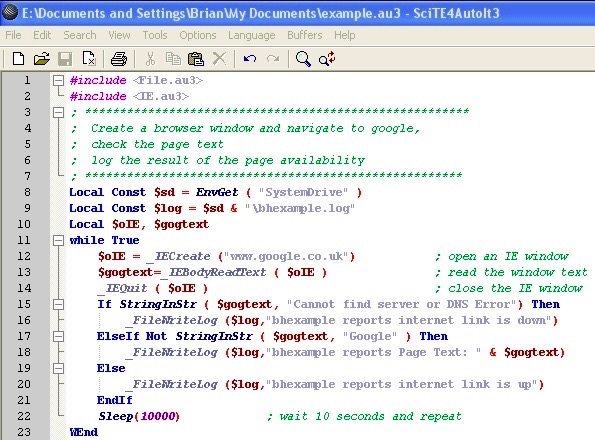
Automation Example
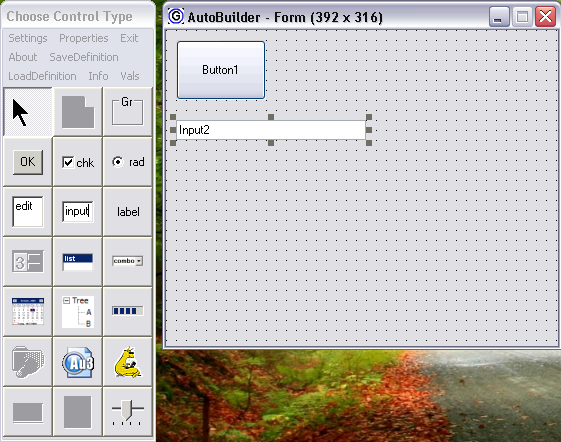
GUI Creation Tool
About AutoIt
AutoIt is a powerful free scripting language designed specifically for automating the Windows GUI and general scripting tasks. It allows you to create custom hotkeys, macros, automate repetitive tasks, control mouse and keyboard, manipulate windows and build your own tools and applications with just a few lines of code.
AutoIt is especially popular among power users, developers, system administrators and office workers who want to automate boring and repetitive tasks. It can interact with almost any Windows program, fill out forms, click buttons, copy data, and perform complex operations automatically.
In version 3.3.16 (May 2026), AutoIt continues to offer excellent stability, improved performance and better support for modern Windows 11 features.
AutoIt is completely free, open-source and actively developed by a large community. It is trusted by millions of users worldwide.
What makes AutoIt truly special is its ability to automate virtually anything on Windows. You can create simple one-line hotkeys or build complex applications with graphical interfaces, database connections, web scraping capabilities and more. It is often called “the Swiss Army knife” of Windows automation because of its flexibility and power.
AutoIt is widely used by IT departments to automate routine tasks, by developers to create testing scripts, by power users to customize their workflow, and even by gamers to create macros. Its simple syntax makes it accessible to beginners, while its advanced features satisfy professional needs.
The program works by sending keystrokes, mouse clicks and window commands directly to the operating system, allowing it to control any application just like a real user would.
Key Features
- Create custom hotkeys and keyboard shortcuts
- Automate mouse movements and clicks
- Build custom GUIs and small applications
- Powerful scripting language with loops, conditions and functions
- Window and control manipulation
- Text processing and clipboard automation
- Support for COM objects and external libraries
- Very lightweight and fast execution
- Portable version available
System Requirements
- Windows 11 / Windows 10 / Windows 8.1 / Windows 7
- 512 MB RAM
- 20 MB free disk space
Alternatives to AutoIt
- AutoHotkey — very similar and popular automation tool
- PowerToys — official Microsoft automation utilities
- AutoHotkey v2 — modern version of AutoHotkey
- Macro Recorder — simpler macro recording tools
System Requirements
- Windows 11 / Windows 10 / Windows 8.1 / Windows 7
- 512 MB RAM
- 20 MB free disk space
Alternatives to AutoIt
- AutoHotkey — very similar and popular automation tool
- PowerToys — official Microsoft automation utilities
- AutoHotkey v2 — modern version of AutoHotkey
- Macro Recorder — simpler macro recording tools