
7-Zip 24.09
Latest stable version • Updated May 2026
The best free file archiver with one of the highest compression ratios available today, trusted by millions of users worldwide.
Screenshots
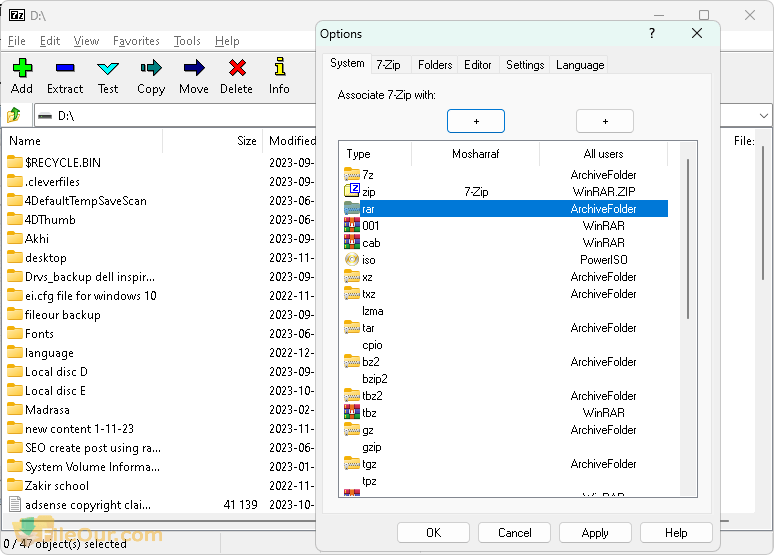
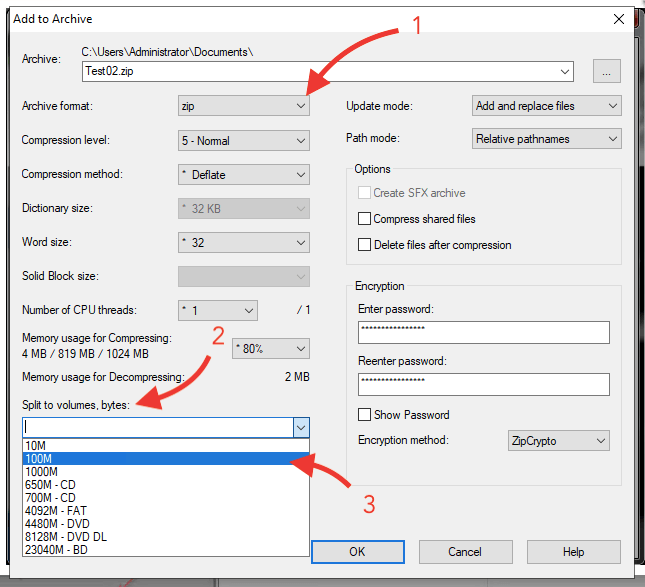
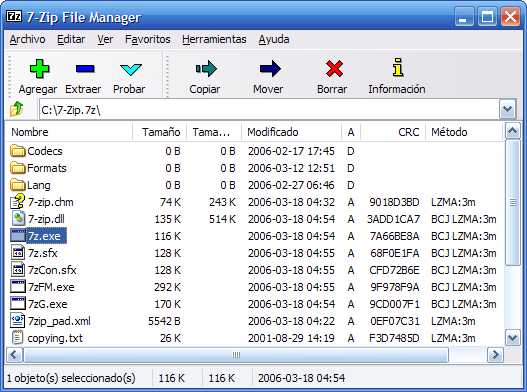
About 7-Zip
7-Zip is one of the most popular and widely used file archiving tools in the world. It is an open-source software designed to compress and extract files efficiently while maintaining extremely high compression ratios. Developed by Igor Pavlov, 7-Zip has become a standard tool for both casual users and IT professionals.
The software is especially known for its proprietary 7z format, which often achieves significantly better compression than traditional ZIP archives. This makes it ideal for reducing file sizes, saving disk space, and transferring large files over the internet.
Unlike many commercial alternatives, 7-Zip is completely free, with no ads, no trial limitations, and no hidden costs. It is widely trusted in enterprise environments, educational institutions, and personal computers due to its reliability and security.
Key Features
- Extremely high compression ratio, especially with 7z format
- Fast compression and decompression performance
- Built-in file manager with dual-pane navigation
- Strong AES-256 encryption for secure archives
- Support for over 20 archive formats including ZIP, RAR, TAR, ISO, GZ
- Command line version for advanced automation and scripting
- Windows Explorer integration for right-click compression
- Lightweight software with minimal system resource usage
- Completely free and open-source under GNU LGPL license
Why 7-Zip is Better Than Other Archivers
Many users choose 7-Zip over paid alternatives like WinRAR or WinZip because of its efficiency and cost-effectiveness. While WinRAR requires a paid license for commercial use, 7-Zip remains fully free for both personal and commercial usage.
In addition, 7-Zip often outperforms competitors in compression benchmarks. The 7z format uses advanced LZMA and LZMA2 compression algorithms, which are optimized for high compression density without significantly sacrificing speed.
For users who frequently work with large datasets, backups, or software distributions, 7-Zip provides a balance of speed, compression strength, and security that is hard to match.
Supported Formats
7-Zip supports a wide range of file formats, making it extremely versatile:
- Compression formats: 7z, ZIP, TAR, GZIP, BZIP2
- Extraction-only formats: RAR, ISO, CAB, ARJ, LZH, CHM, MSI, DMG
- Disk images and system files: VHD, WIM
Security and Encryption
Security is one of the strongest aspects of 7-Zip. It uses AES-256 encryption, which is considered military-grade encryption. This ensures that compressed files remain protected from unauthorized access.
Users can set passwords for archives, encrypt file names, and protect sensitive data during storage or transfer. This makes 7-Zip suitable for business environments where confidentiality is important.
Performance and Efficiency
7-Zip is optimized for both modern and older systems. It uses multi-threading support, allowing it to take advantage of multi-core processors for faster compression and extraction.
Despite its powerful capabilities, it remains extremely lightweight, requiring very little RAM and disk space. This makes it suitable even for low-end systems.
System Requirements
- Windows 10 / Windows 11 (32 & 64-bit)
- Linux and macOS (via p7zip package)
- Minimum 512 MB RAM (1 GB recommended)
- At least 50 MB of free disk space
- Modern CPU recommended for best performance
Alternatives to 7-Zip
While 7-Zip is one of the best compression tools available, there are several alternatives users may consider depending on their needs.
- WinRAR — A widely used commercial archiver with strong RAR support and trial-based licensing.
- PeaZip — A free and open-source alternative with a modern graphical interface and extra privacy tools.
- Bandizip — Known for its speed and clean UI, especially popular among Windows users.
- WinZip — One of the oldest compression tools, now more focused on enterprise features.
However, in terms of pure compression efficiency and cost (free), 7-Zip remains one of the strongest choices available.
Frequently Asked Questions (FAQ)
Is 7-Zip really free?
Yes, 7-Zip is completely free for both personal and commercial use. It is open-source software released under the GNU LGPL license.
Is 7-Zip safe to use?
Yes, 7-Zip is widely considered safe. It uses strong encryption and has been trusted by millions of users worldwide for decades.
Can 7-Zip open RAR files?
Yes, 7-Zip can extract RAR files, although it cannot create them. It supports most major archive formats for extraction.
Does 7-Zip work on Mac?
Yes, but not as a native GUI application. On macOS, users typically install p7zip via terminal or package managers.
Which format should I use: ZIP or 7z?
If you want maximum compression, use 7z. If you need compatibility with more systems, ZIP is more universally supported.